Written by Heidi Tolliver-Walker
Print Industry Analyst
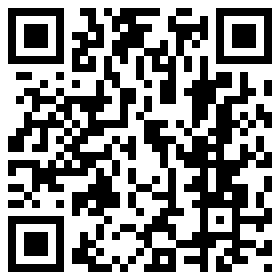
More than half of mobile phone owners in the United States now own smartphones. Of those, approximately 20% have scanned a QR Code. That’s a lot of people. Do you know everything they can use QR Codes to do?
QR Codes are most commonly used as shortcuts to the web from direct mail, marketing collateral, packaging, email, and other media channels. But thinking about them only as online shortcuts short-changes these mobile tools. They are being used for a lot more.
If you had to think up a list of uses for QR Codes, how many could you come up with? Before reading further, jot down your own list. Then just for fun, check it against the one below.

Link to online content: Whether linking to a webpage, video, or other content, the most common use for QR Codes is to automatically link mobile users from some form of print, packaging, or email to online content.
Email: QR Codes can be used to launch pre-populated emails. When the user scans the code, it prompts the phone’s mail application and populates the “send to” address with the address the marketer chooses.
Personalized URLs: QR Codes can be used to contain information unique to the recipient, including personalized URLs. When users scan the code, they are sent to a personalized mini-site just as if they had typed in a personalized URL or clicked through one electronically.
Phone number: The QR code prompts the phone to display the marketer’s phone number then launches the “call” button to allow the user to dial. No need to type anything in.
Plain text: Some marketers may simply want viewers to access a text message. This might be content like exclusive portions of an interview, a discount code, or if you’re at a trade show, a booth number. This can be stored within the code itself. This is great for locations where Internet access may be limited.
Business cards: The QR code can be used to automatically populate the user’s mobile phone contacts with the marketer’s electronic business card, including name, address, phone number, email, and company or personal URL.
Events reminders: Want to remind users about a scheduled event? Once users snap the code, it prompts the phone to automatically add the date and time to the phone’s calendar. The user can select the reminder function from their individual phone’s calendar app.
Are you seeing QR Codes being used in other ways not listed here? If so, add a comment. I’d like to hear about them.
Interested in more topics similar to QR Codes? You may also like:
- Seven Common QR Code Mistakes
- Connecting Print to the Digital World One Scan at a Time
- Are Online Ads Less Effective Than TV and Print Ads?
- When it comes to Direct Marketing Campaigns: Practice what you Preach
- 80s Music and the QR Code
—
For more on QR Codes, Xerox Premier Partner Global Network members may download a complimentary copy of my primer “QR Codes: What You Need to Know” from the XPPGN portal, at no charge. Another value of your membership! Interested in becoming a Premier Partner? Click here for more information.
Here at Lytrod Software, we have a template in our software that allows customers to create QR Codes using geocoordinates. When scanned, the QR Code launches Google Maps – automatically giving them directions to the event/venue. We’ve seen our customers use this type of QR Code on event ticketing applications. Very fun use of the QR Code!
Natalie – thanks for sharing, that’s a great application for QR codes! Geocoordinates really open up a world of possibilities. I’d imagine that marketing brochures could include geocoordinate QR codes so that when scanned, the recipient is given directions to the nearest location of a particular chain of stores.
What other cool usages of QR Codes have you seen?
Bill (Xerox Employee)
Bill, Yes the geocoordinate QR Codes could be used on a variety of different printed pieces. All of the templates we provide allow our customers to create variable QR Codes using information in their database. One of our clients used the variable text QR Code for their postcard coupons. The messaging included the customer’s name and a short message/discount. We show some examples here: http://lytrod.com/applications/QR_Codes/index.php
I have scanned that for instructions of how to care for and use contact lens from Allergan.
Lily – that is definitely a practical use for QR Codes. I’ve seen it a ton where consumer products contain QR codes linking to videos with step-by-step instructions on how to use a product.
Bill (Xerox employee)
@Natalie That’s great information. I’ll incorporate that into my next update of my educational report “QR Codes: What You Need to Know.” (Free download for XPPGN members.) Thanks! Can you send me case studies on clients who are using this application?
I heard about a bar where they offer custom messages and your ph# in a QR code printed up and stuck to a drink you buy for someone.
There’s certainly a great deal to know about this subject. I love all the points you’ve made.\